Creating a Project
Roburna Builders allows you to create a project profile where you can introduce what you're building, share relevant links, and make your project discoverable to the community.
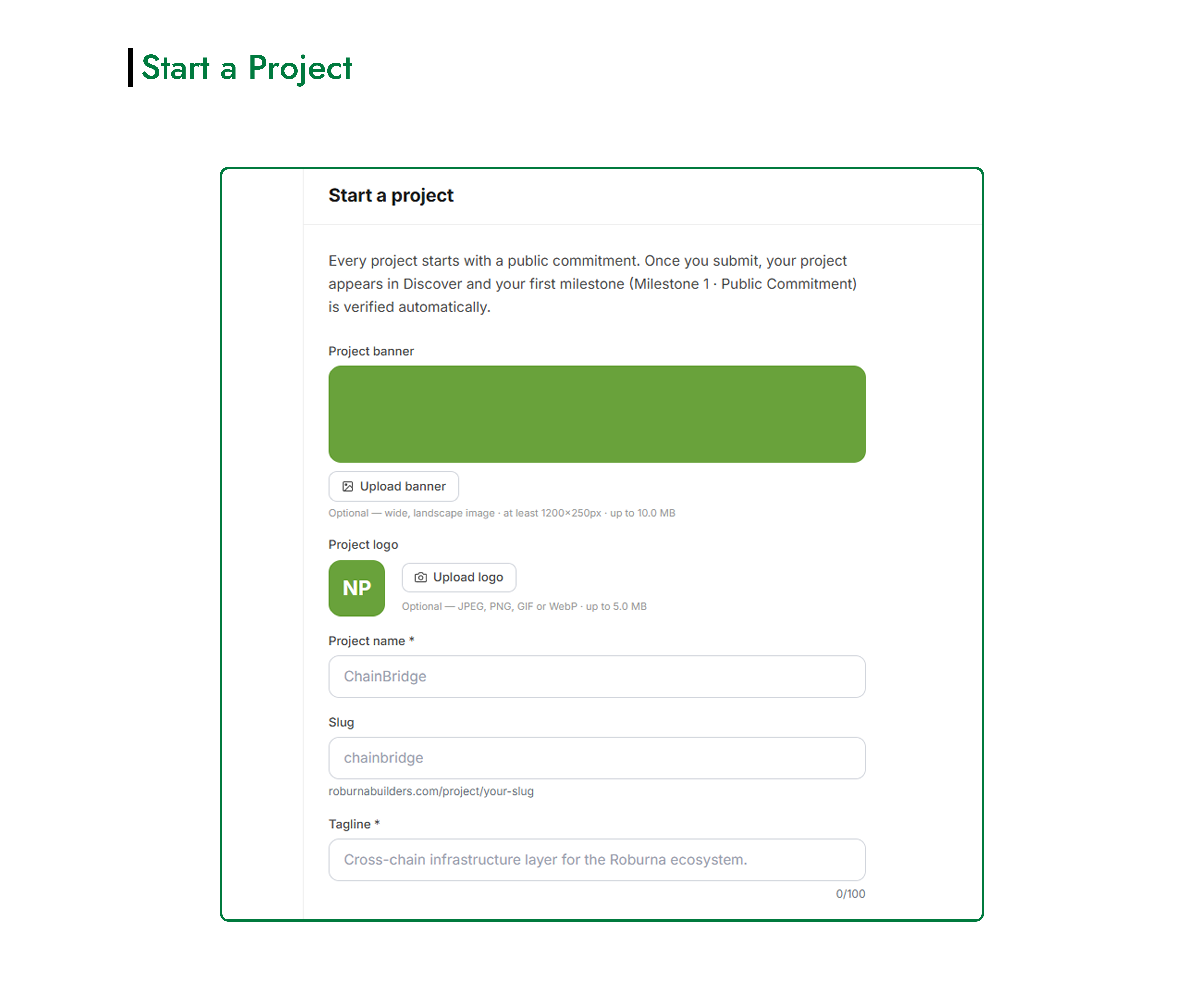
#How to Create a Project
- Open your Builder Dashboard.
- Click Start a Project to open the project creation form.
- Fill in the project details as described below.
- Once you've completed the form, click Create Project to create your project profile.
#Project Information
Project Name: Enter the name of your project. Choose a name that clearly identifies what you're building. (Do not use the name of an already established brand)
Tagline: Add a short statement that summarizes your project and what it does.
Description: Describe your project, its purpose, and what you're working to achieve. Keep the description clear so visitors can quickly understand your project.
Project Logo: Upload a logo that represents your project. Use an image that is clear and recognizable.
Project Banner: Upload a banner image for your project profile. Choose an image that represents your project and complements its branding. (Recommended size: 1200×250p)
#Project Classification
Vertical: Select the category that best describes your project, such as DeFi & Finance, Compliance, Payments, Gaming, AI & Data, or another available category that matches your project type.
#Project Links
Add links that help people learn more about your project and follow its development. Depending on what you have available, these may include:
- Website
- GitHub
- X
- Telegram
- Other relevant links
These links are optional, so you can add the ones that are relevant to your project.
#Create Your Project
Before submitting the form, review the information you've entered and check that your details and links are correct.
Click Create Project to submit the form and create your project profile. Once created, you can manage your project, share updates, work with your team, and track your activity through your Project Dashboard.
#Join a team
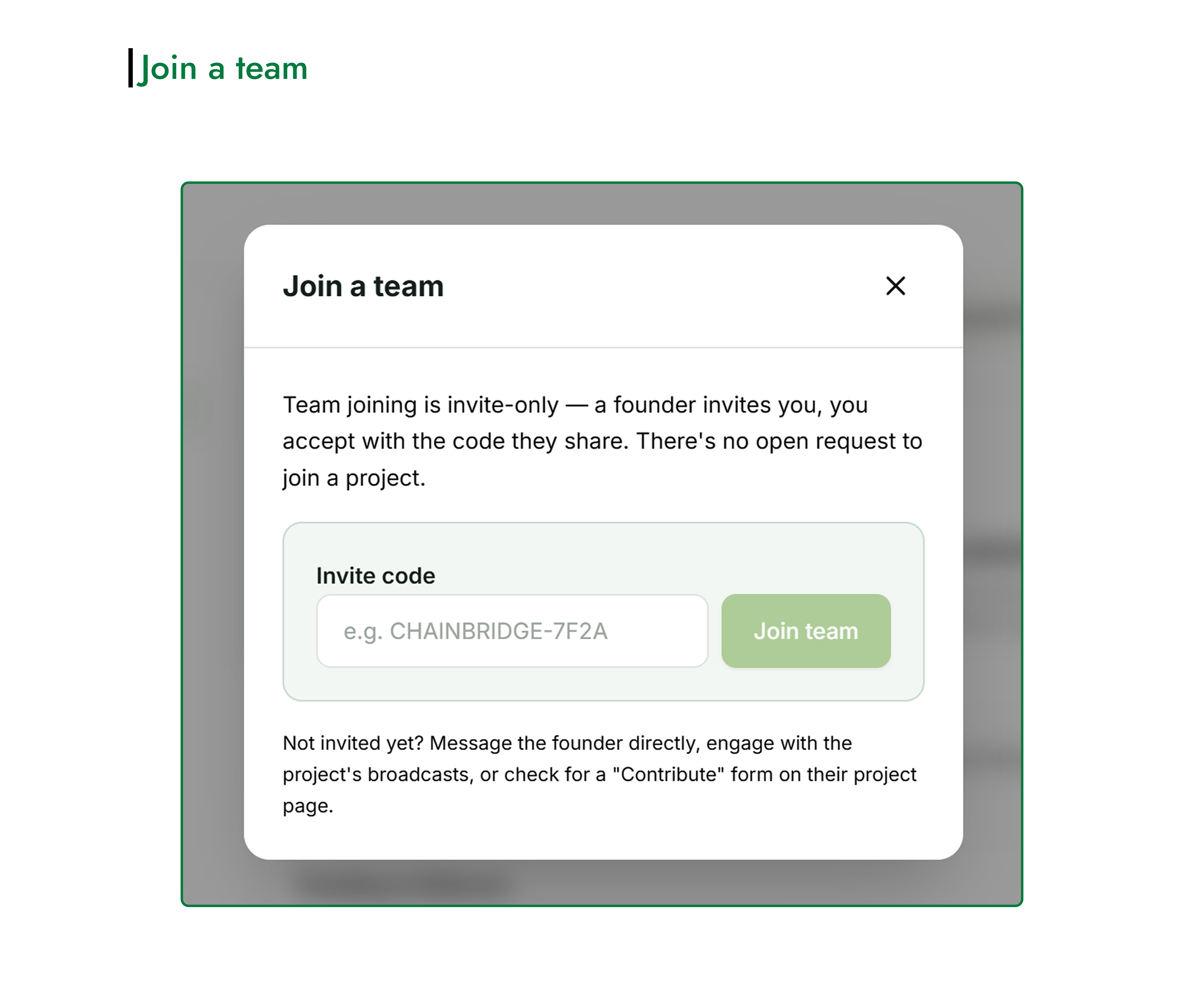
You can also join an already existing project's team.
Team membership is invite-only. The project founder must invite you and share an invitation code with you. There is no open request to join a team.
To join a team:
- Click Join a Team on your Builder Dashboard.
- Enter the invitation code shared by the project founder.
- Follow the prompts to complete the process and join the team.
Once you've joined, you can access the project and participate as a team member.