Creating Your Account
Creating an account on Roburna Builders gives you access to the platform, where you can set up your profile, explore existing projects, create project profiles, share your work, and participate in the Roburna Builders ecosystem.
Follow the steps below to get started.
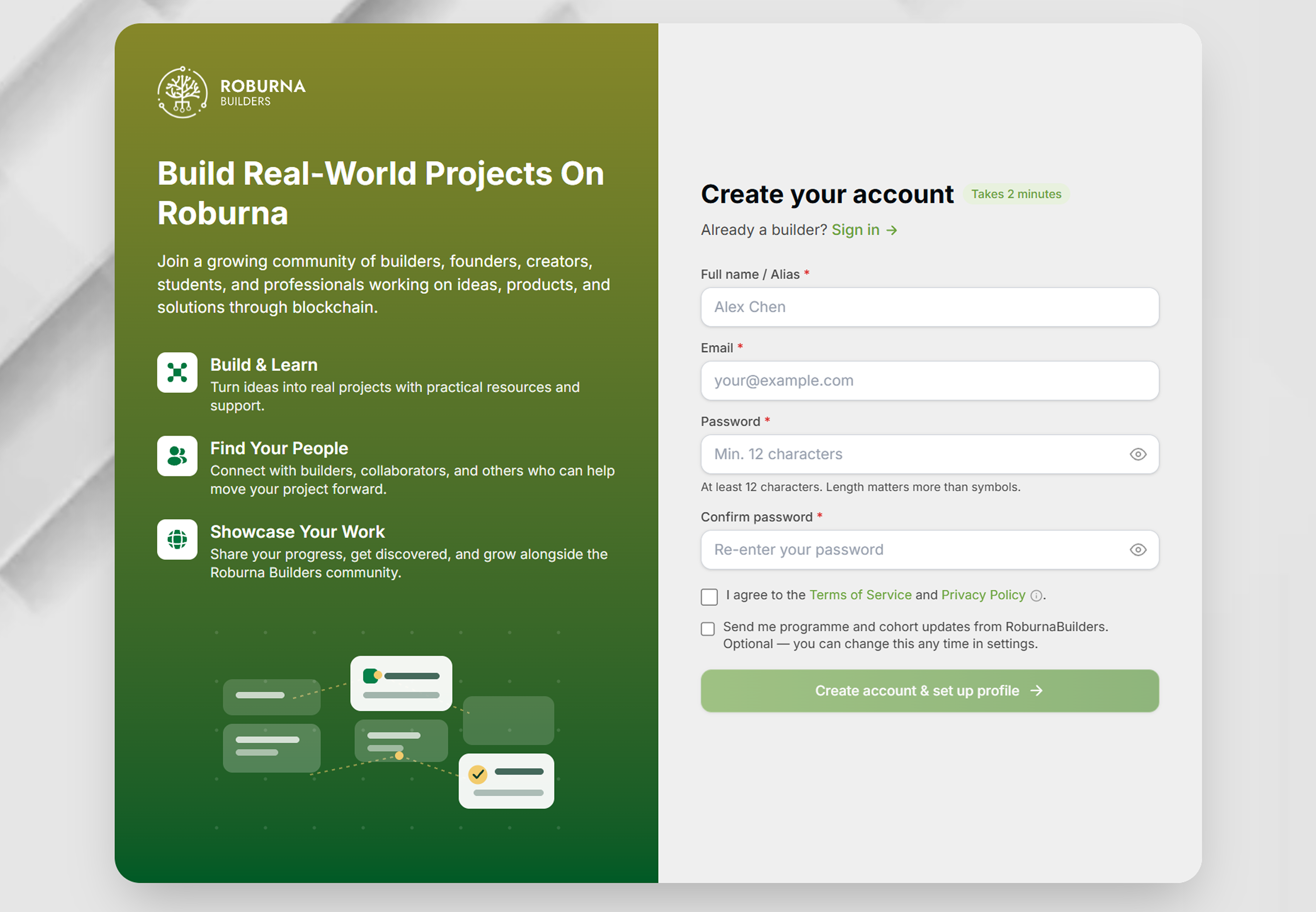
#Create Your Account
- Visit the Roburna Builders website
- Open the registration page. Click “Get Started” to sign up.
- Enter your details. Complete the required fields in the registration form.
- Submit your registration. Review your details and submit the form.
- Access your account. Once registration is complete, you are ready to go beyond just exploring to create your project or join an existing project's team.
#Set Up Your Profile
After creating your account, review your profile and complete other necessary information. A clear profile helps other members of the ecosystem understand who you are and what you do.