Navigating the Platform
Learn how to navigate the Roburna Builders website, explore its features, access resources, manage projects, track progress, connect with the ecosystem, and make the most of the platform.
#1. Landing Page
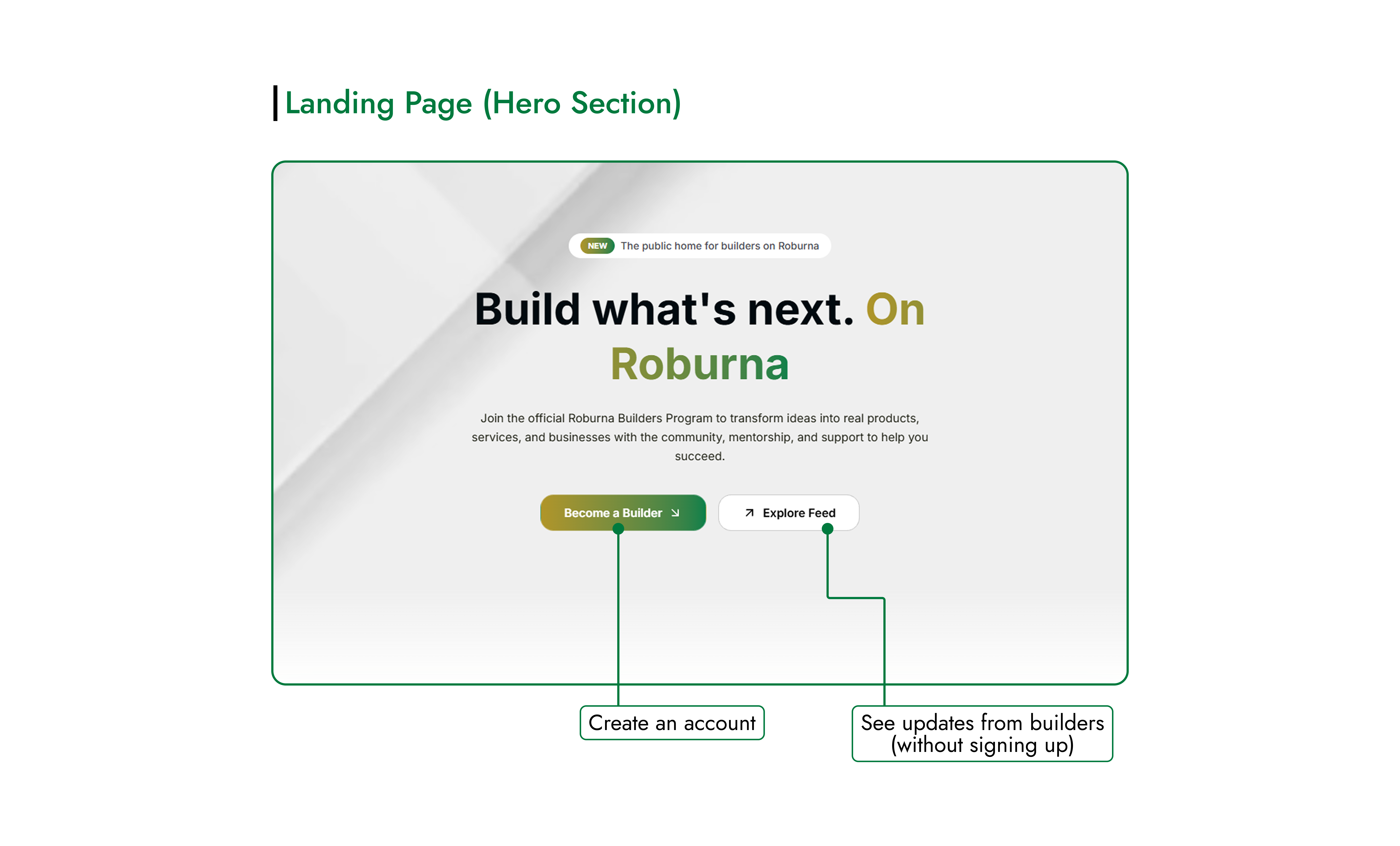 The landing page is the starting point for Roburna Builders. From here, you can create an account to join the platform or explore updates shared by other builders before signing up.
#Become a Builder
Click Become a Builder to create your account and get started with Roburna Builders.
#Explore Feed
Click Explore Feed to browse updates shared by other builders and discover what projects are working on. You can explore the feed without creating an account.
#2. Explore Page
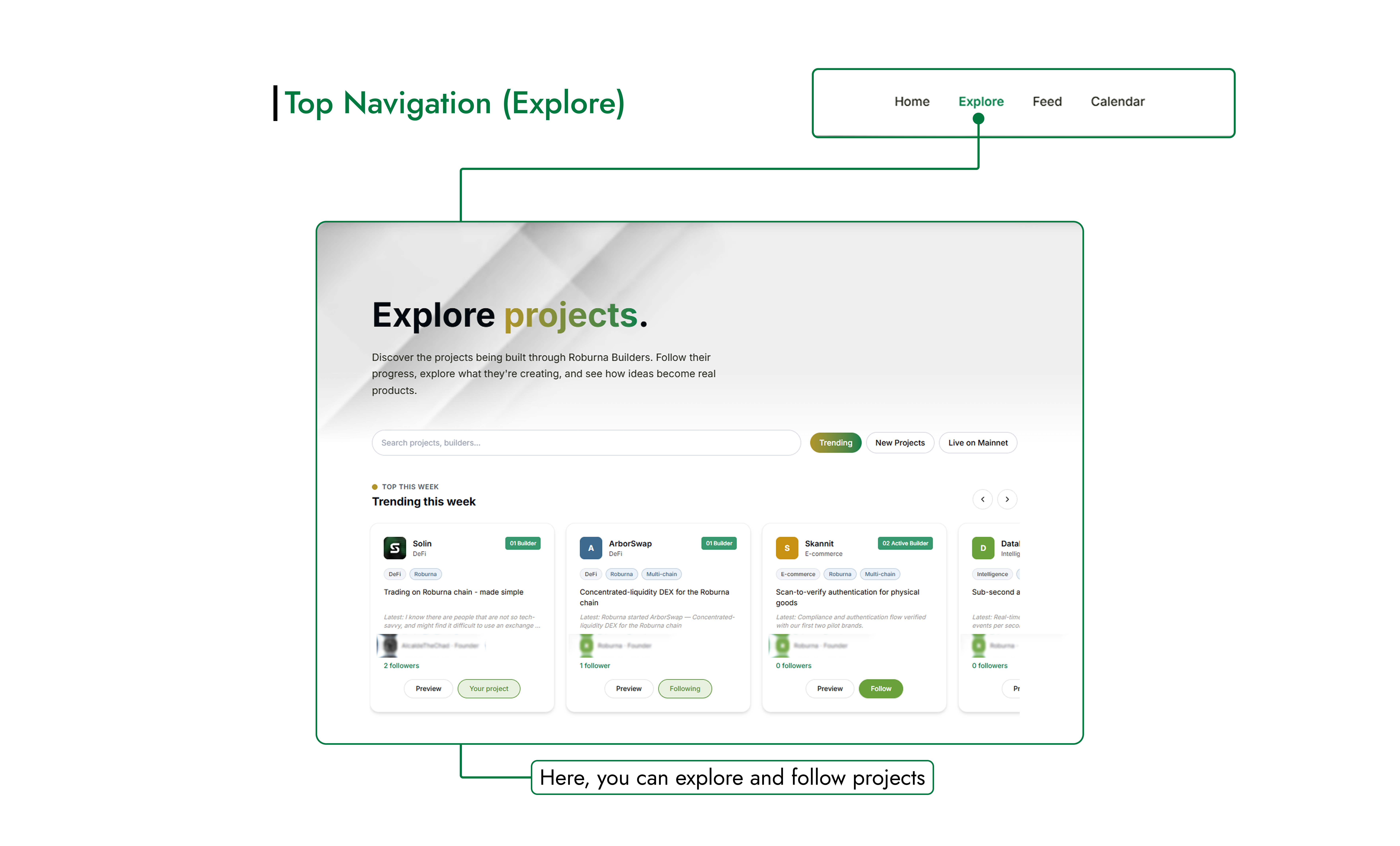 The Explore page lets you discover projects across the Roburna Builders platform. Browse all listed projects, find trending projects, discover newly added projects, or view projects that are live on mainnet.
You can preview projects to learn more about what they are building, view their team members, and follow projects you want to keep up with.
Use the Explore page to discover new ideas, see what other builders are working on, and find projects that interest you.
#3. Feed Page
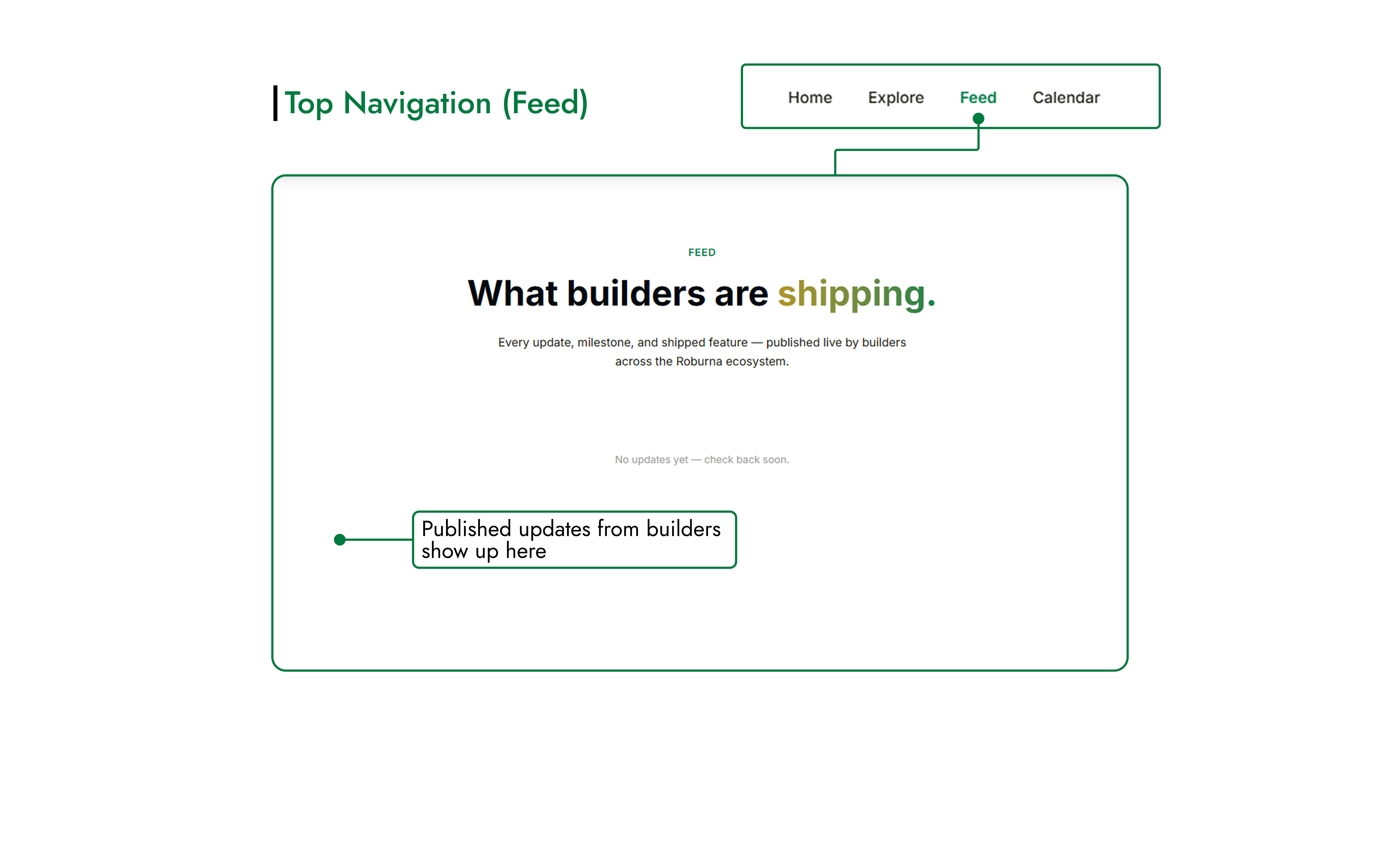 The Feed page keeps you up to date with activity across Roburna Builders. It brings together project updates shared by builders and automatic activity notifications, such as when a new project is created or a team member joins a project.
Builders can publish updates about their progress, milestones, new features, and other developments. These posts appear in the feed, making it easy to follow what projects are working on.
You can like and comment on updates to engage with builders, and follow projects you want to keep up with.
#4. Calendar Page
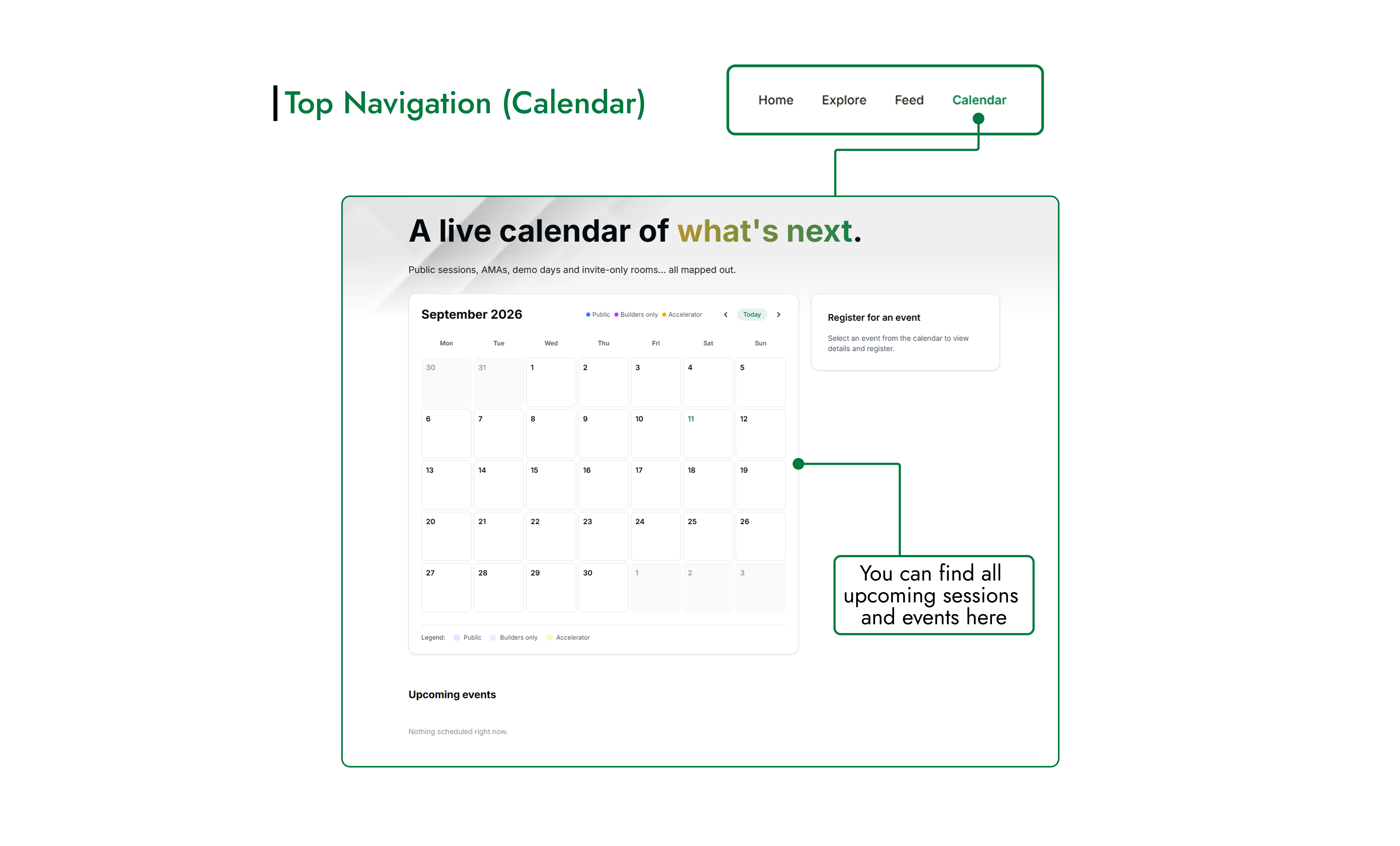 The Calendar page shows upcoming events across Roburna Builders. Browse scheduled events and find details such as the date, time, and venue.
Events may include public sessions, AMAs, demo days, and invite-only activities. Where registration is available, you can register to participate in an event. Invite-only events are intended for those who have been invited.
Check the calendar regularly to see what is coming up and find opportunities to learn, connect with other builders, and showcase your work.
#5. Initiatives Page
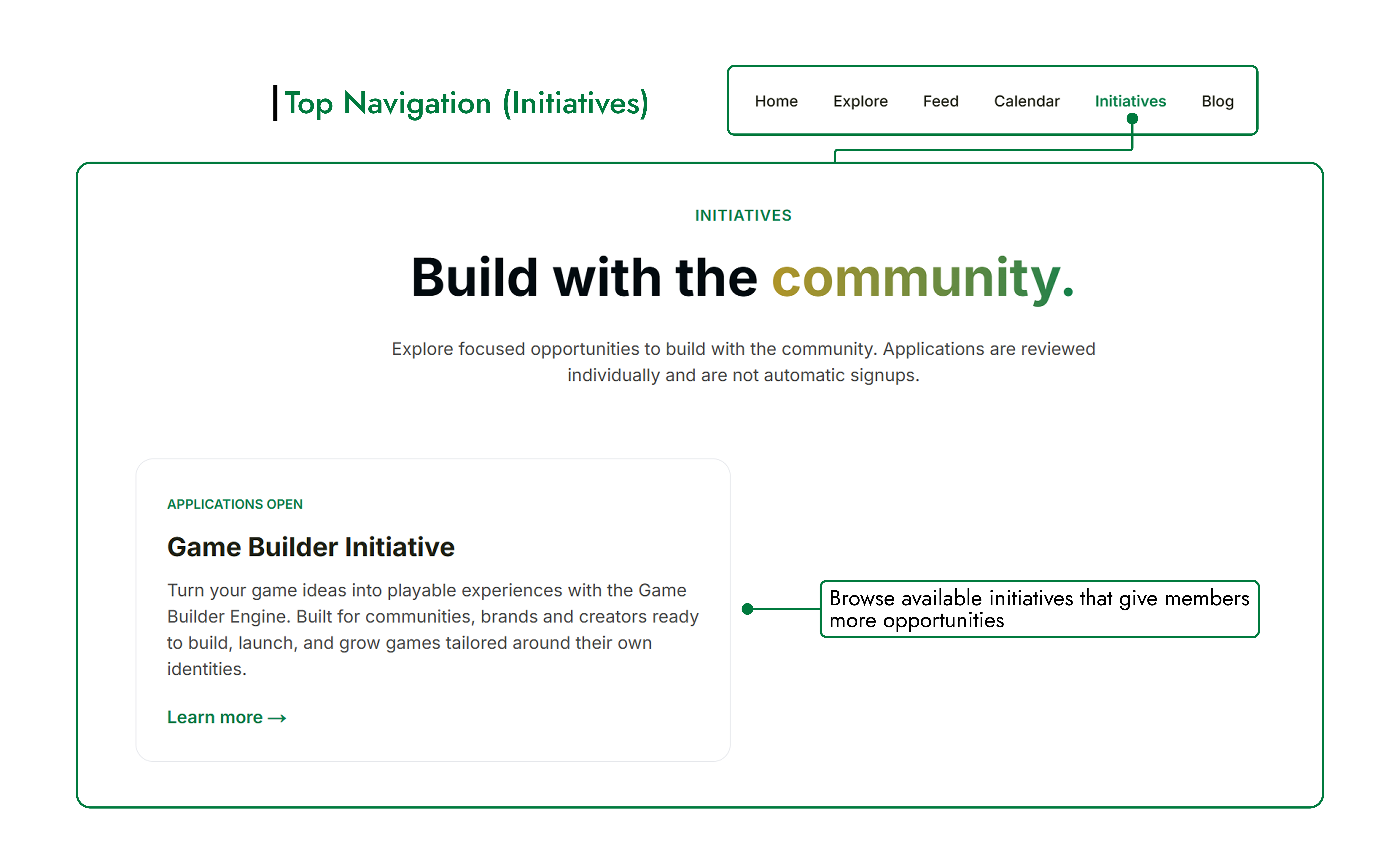 The Initiatives page brings together programs and activities within the Roburna Builders ecosystem that give members opportunities to build, collaborate, and participate in community projects.
Browse the available initiatives to learn what each one involves, who can participate, and how to get involved. Each initiative may offer a different way to contribute, develop your ideas, or work with other members of the community.
Visit this page to discover opportunities that match your interests and find ways to take part in the Roburna Builders ecosystem.
#6. Blog Page
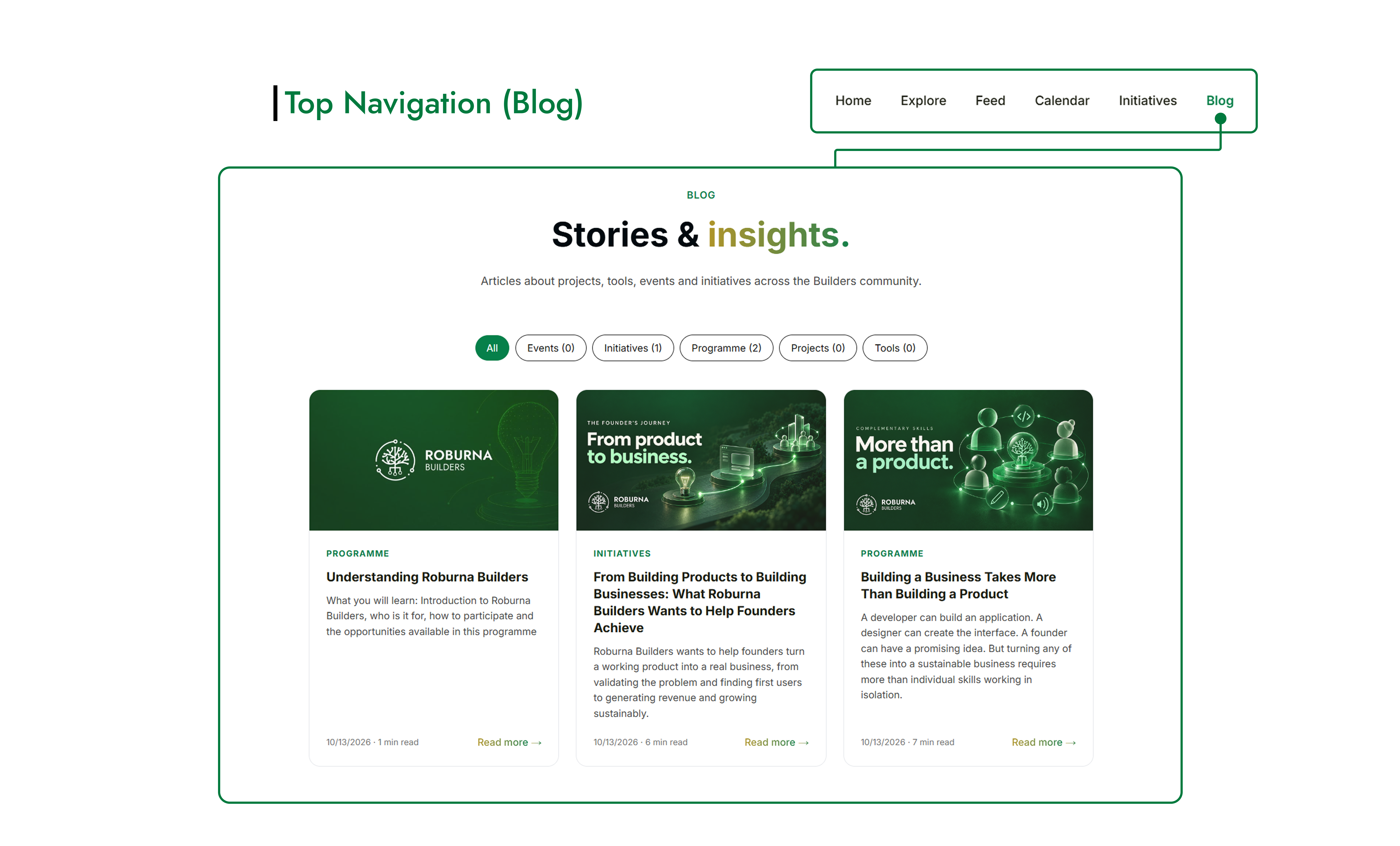 The Blog page features articles, stories, and insights from across the Roburna Builders ecosystem. Here, you can learn more about projects, upcoming and past events, useful tools, community initiatives, and programs available to builders.
Explore articles to discover what is happening in the ecosystem, learn from other builders, and find useful information to support your own journey.
Visit the Blog page regularly for new stories, updates, and insights from the Roburna Builders community.
#7. Builder Dashboard
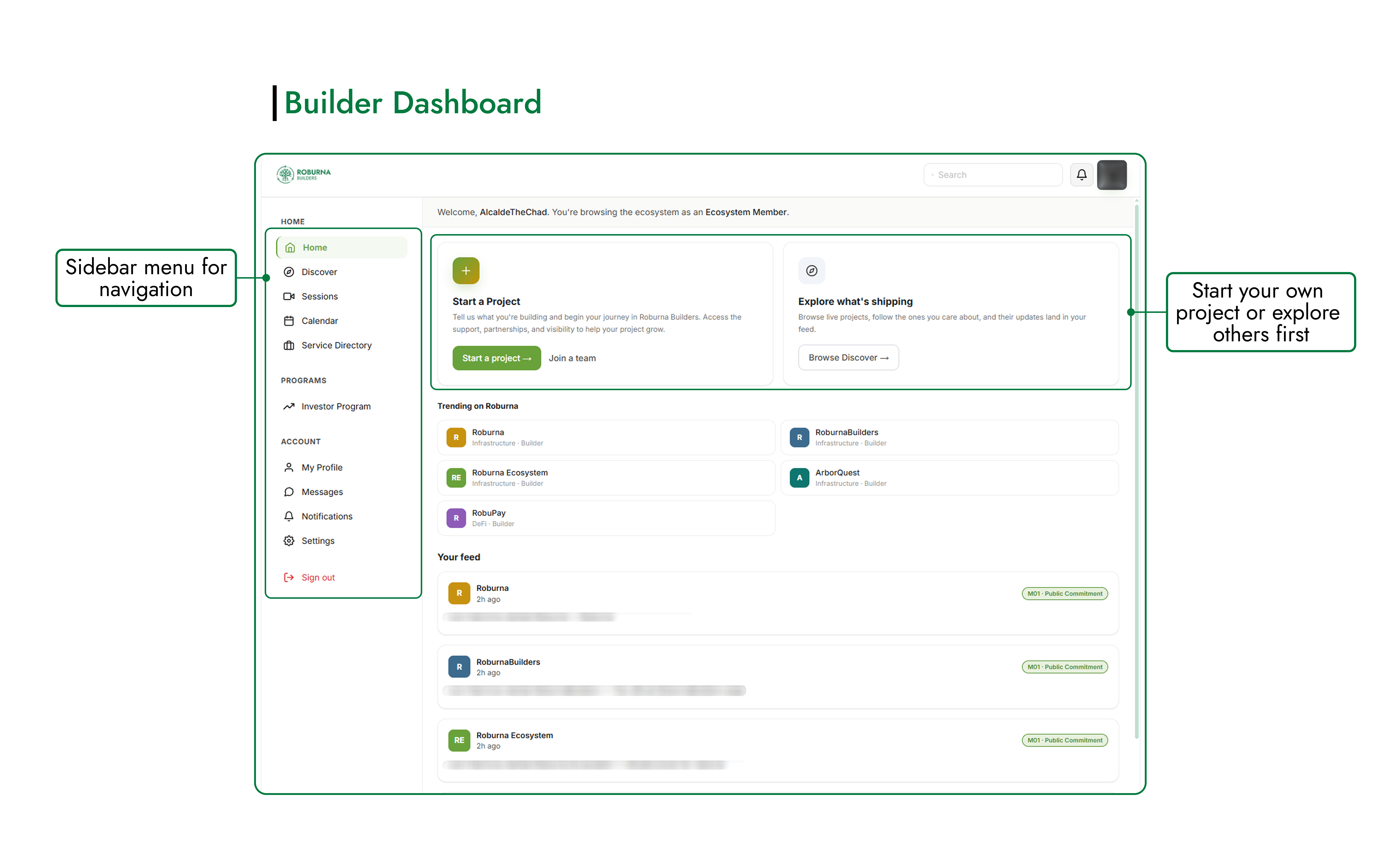 The Builder Dashboard is your main starting point after creating an account on Roburna Builders. From here, you can navigate the platform, start a project, discover other projects, and keep up with activity across the ecosystem.
Use the sidebar menu to access different sections of the platform. You can also start creating your own project/join a team, continue exploring existing projects, view trending projects, check your feed, and access your profile.
Your dashboard brings these key actions together in one place, making it easier to get started and find your way around Roburna Builders.
#8. Project Dashboard
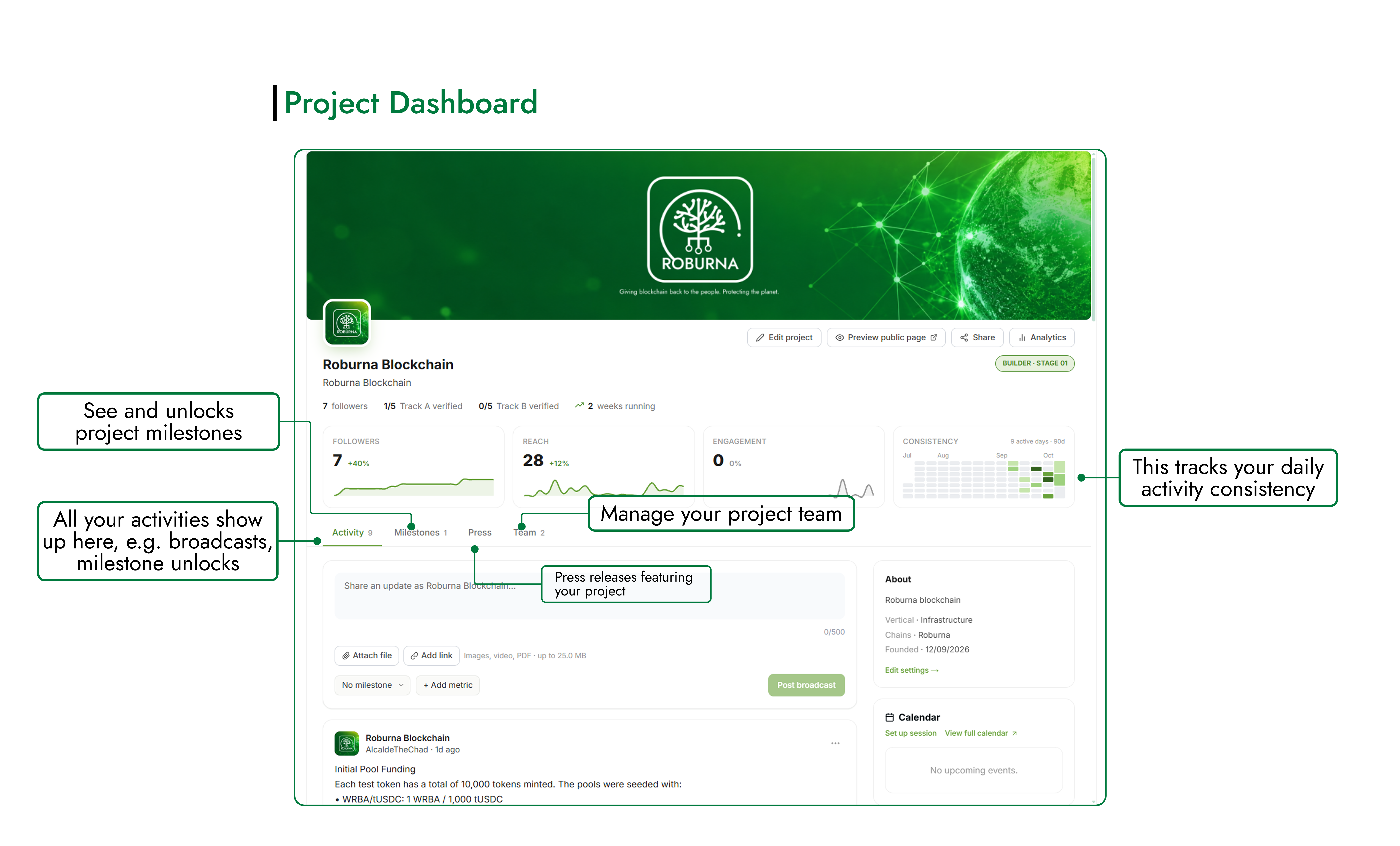 The Project Dashboard is the central workspace for a project you own or are part of as a team member. It brings together the tools you need to manage your project, share progress, and track your activity on Roburna Builders.
From your dashboard, you can:
The Project Dashboard is the central workspace for a project you own or are part of as a team member. It brings together the tools you need to manage your project, share progress, and track your activity on Roburna Builders.
From your dashboard, you can:
- Publish Updates: Share broadcasts about what you're building, new features, milestones, and what you've shipped.
- See Activity and Consistency: Review your project activity and monitor your building consistency over time.
- Manage Milestones: View project milestones and apply to unlock additional milestones where available.
- Manage Your Team: View team members and manage your project's team.
- Edit Your Project: Update your project's profile and information.
- View Press Releases: Access press releases associated with your project.
- Track Your Reach: Monitor metrics such as followers, reach, engagement, and verified tracks.
Use the Project Dashboard to keep your project information up to date, document your progress, and understand how your project is growing and engaging with the community.